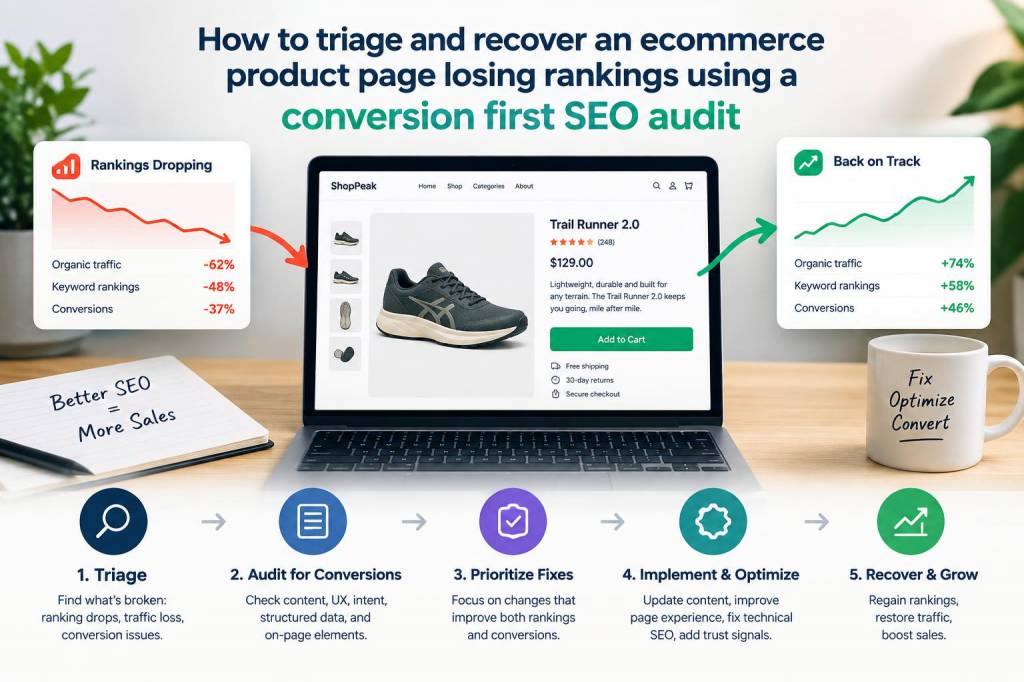
When a high-value ecommerce product page starts losing rankings, the panic sets in fast. You see falling traffic, fewer conversions, and a shrinking revenue line tied directly to that page. I’ve been there more times than I’d like to admit. The trick is to triage the issue quickly and run a conversion-first SEO audit so you don’t just recover rankings, you recover revenue. Below I’ll walk you through the pragmatic, prioritized steps I use to diagnose, fix, and monitor product pages that have dropped—focusing always on actions that protect conversions while restoring organic visibility.
First triage: fast checks to stabilise revenue
When time is critical, run a rapid triage to decide whether to deploy emergency fixes or investigate further. These checks take 15–60 minutes but prevent rash changes that could make things worse.
Check for major technical issues: 5xx errors, indexability (noindex tags), or robots.txt blocking.Verify canonical tags: does the product page canonicalize to itself or to another page (category, variant, duplicate)?Confirm the page is still indexed: use site:yourdomain.com/page-url and inspect in Google Search Console (GSC).Check page speed and Core Web Vitals quickly with PageSpeed Insights—prioritise mobile.Look for recent site-wide changes: CMS updates, theme changes, plugin installations, or migrations in the last 30 days.Scan for manual actions or significant drops reported in GSC (security issues, manual penalties).If you find a catastrophic issue—like accidental noindex, canonical errors pointing to a redirect, or a recent deployment that broke structured data—fix it immediately. Those fixes often recover traffic fast. If nothing obvious stands out, move to a structured, conversion-first audit.
Prepare your conversion-first SEO audit
A conversion-first audit balances traffic recovery with protecting revenue. You need both SEO signals and on-page conversion metrics. Gather data from:
Google Search Console (performance, coverage, enhancements)Google Analytics or GA4 (transactions, conversion rate, user paths)Crawlers like Screaming Frog or SitebulbPageSpeed Insights and real user monitoring (RUM) if availableHeatmaps/session recordings (Hotjar, Microsoft Clarity)Server logs and sitemap.xmlExport performance data for the affected URL plus 6–12 months of history. Look at impressions, clicks, average position, and query-level trends. Cross-reference with conversion metrics: has conversion rate changed independently of traffic? That tells you if the issue is purely SEO (loss of visibility) or also UX/checkout problems (loss of conversions).
On-page SEO and content triage
Start with the page itself. A product page may lose rankings for many reasons: content changes, keyword cannibalisation, poor E-A-T signals, or user experience issues. Here’s my checklist:
Title tag and meta description: Are they optimized and aligned with target intent? Avoid dramatic rewrites until you understand the keyword drift.H1 and content: Has the product description been shortened or replaced with templated copy? Restore unique, benefit-focused content.Schema markup: Ensure Product schema exists with correct price, availability, SKU, and structured reviews. Missing or broken schema can reduce visibility in rich snippets.Imagery and alt text: Large or missing images can hurt both speed and accessibility. Use optimized, descriptive alt attributes.Variant handling: If variants are split across URLs, confirm the canonical strategy and consider consolidating if cannibalisation is present.Internal links: Are key product pages linked from related categories, high-authority blog posts, or navigation? Internal link equity matters.Specific example: I once recovered a top-selling product by restoring 600 words of unique description that had been replaced by a 50-word templated blurb after a CMS migration. Rankings and conversions returned within two weeks.
Technical and crawlability checks
Technical issues often cause drops. Here’s your prioritized list:
Indexability: Confirm canonical, noindex, and robots settings.Redirects: Check recent redirect chains that may have changed URL signals.Pagination and faceted navigation: Ensure crawl budget isn’t wasted on endless filter combinations.Server performance and uptime: Spikes in response time or outages correlate with ranking drops.Mobile friendliness: A mobile usability issue can tank mobile rankings.User signals and conversion optimization
Recovering rankings is great, but if the page no longer converts, you’ve only solved half the problem. Use behavioral data to prioritise fixes.
Drop in conversion rate? Compare funnel metrics pre/post drop. If checkout abandonment rose, isolate checkout issues rather than changing the product page content immediately.High bounce or low engagement? Check load speed, above-the-fold content, and trust signals (reviews, returns policy, shipping info).Reduced add-to-cart clicks? Test button visibility, CTA wording, and variant selections. Small UX tweaks often restore conversion momentum quickly.Recovery tactics and prioritisation
Not all fixes have equal ROI. I use a priority matrix that balances impact vs effort. Here’s a compact table to help decide what to do first:
| Action | Effort | Impact on Revenue | When to do it |
| Fix accidental noindex/canonical | Low | High | Immediate |
| Restore unique product content | Medium | High | Within 48 hours |
| Repair schema & structured data | Low | Medium | 24–72 hours |
| Page speed optimisation | Medium–High | High (conversion + rankings) | Prioritise mobile; within 1 week |
| Internal linking and content hubs | Medium | Medium | 1–4 weeks |
Monitoring recovery and experiments
After implementing fixes, track outcomes methodically:
Set up a short-term dashboard for impressions, clicks, positions, conversions, and revenue for the specific SKU.Watch GSC for reindexing and coverage updates; submit the URL for indexing if critical fixes are deployed.Run A/B tests for UX changes where possible (CTA text, image, layout) to avoid rolling out untested changes that could harm conversions.Keep an eye on query-level movement: are you regaining the same keywords or new ones replacing them? Adjust targeting accordingly.When to call in wider fixes
If recovery stalls after 4–6 weeks, broaden your scope:
Review category-level and site-wide signals—sometimes an entire category lost relevance due to a competitor’s content hub or price shift.Investigate backlink profile changes—did you lose significant links or gain spammy links triggering algorithmic demotion?Consider content amplification—support the product with blog content, buying guides, and internal links to rebuild topical authority.Fixes that combine technical corrections with conversion-focused UX improvements often yield the fastest and most reliable recoveries. Remember: search engines reward pages that satisfy users. If your triage and audit centre on making the page useful, fast, and trustworthy for real buyers, you’ll recover rankings and revenue more consistently.